Build AI assistants from your knowledge.Run them wherever questions happen.
Pegasus turns uploaded documents into operated AI assistants: train bots, chat in the workspace, publish a secured website widget, connect scoped API clients, and track usage across personal and team contexts.
Product surfaces
One assistant, several controlled paths
Pegasus is strongest when a bot can move from internal testing to public deployment without losing governance.
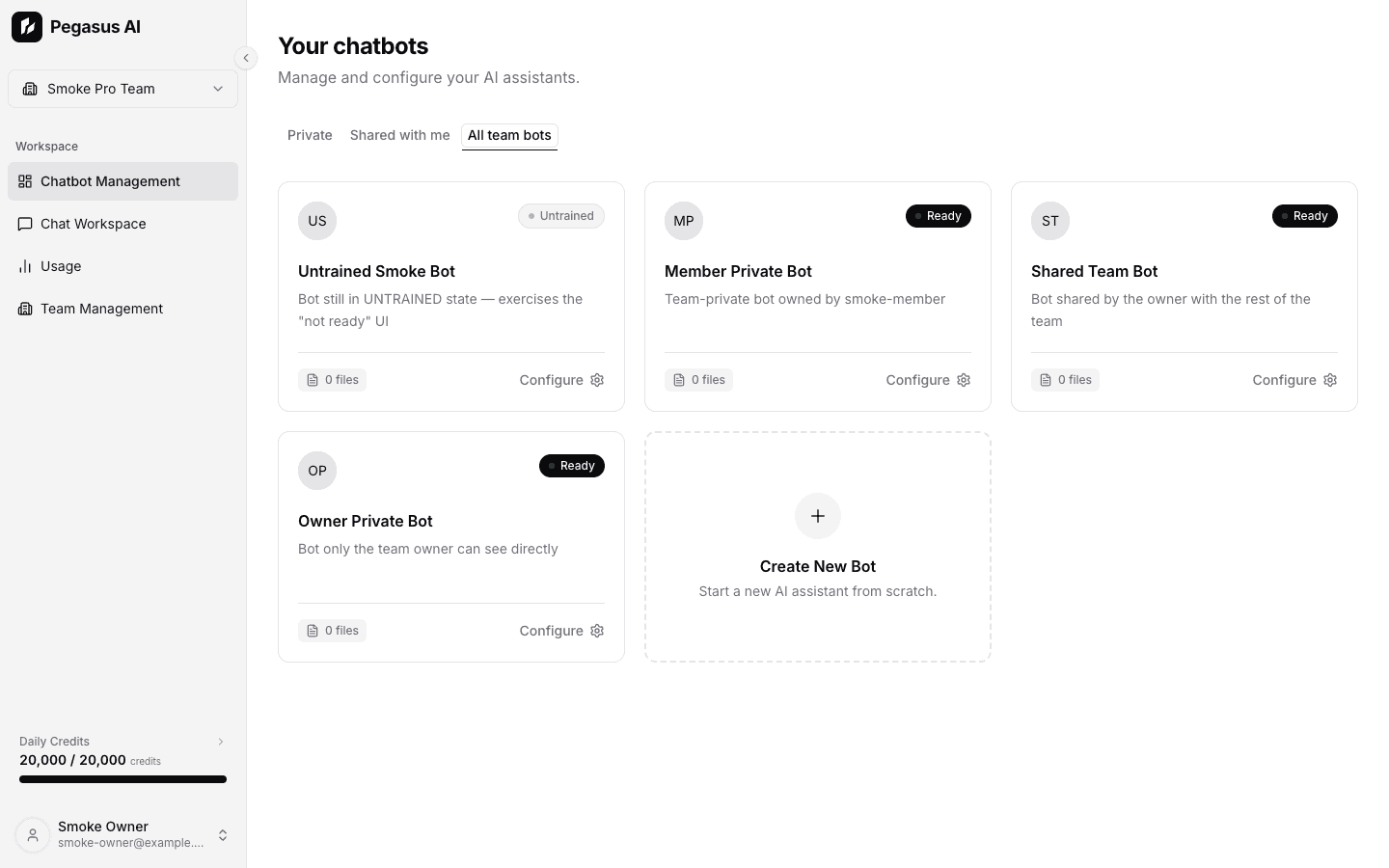
Create and operate bots from one dashboard
Bot cards show status, ownership relation, document count, and team sharing context. Owners can move from list view into detailed controls without leaving the app shell.
- Three-step bot creation for identity, knowledge, and behavior.
- General, Embed, and Source settings tabs for day-to-day bot operations.
- Team views for private bots, shared bots, and owner-managed inventories.

Deploy a controlled visitor widget
The embed flow is now an operational surface, not just a snippet. Owners can enable, disable, rotate, restrict, and reset widget access.
- Copy-ready website snippet for anonymous visitor chat.
- Exact allowed-origin controls for production sites and local development.
- Widget token rotation with a grace period for active sessions.

Measure what each surface consumes
Usage analytics connect product behavior to billing context. Owners can inspect traffic spikes, training cost, widget activity, and API automation.
- Date presets and custom ranges for daily request and credit trends.
- Source filters for Direct, Widget, API, and All usage.
- Team owner views grouped by members and bots.
Plans
Monthly pricing with clear limits
Pegasus plans scale by bot count, document storage, daily credits, and advanced feature access. Monthly prices are shown so builders can choose the right tier quickly.
FREE
For individuals to explore
- 2 chatbots
- 5 MB document storage per bot
- 100 credits per day
- Website embed widget
PRO
For higher-volume builders
- 10 chatbots
- 10 MB document storage per bot
- 2,000 credits per day
- Max Mode
- Call bots directly through the OpenAI-compatible API
- Scoped Personal Access Tokens for external clients
ULTRA
For larger teams and heavier usage
- 50 chatbots
- 50 MB document storage per bot
- 20,000 credits per day
- Everything in Pro, including Max Mode
- OpenAI-compatible API and scoped Personal Access Tokens
- Advanced models and highest usage headroom
Plan limits and billing flows may change when self-serve checkout goes live. Treat these as current defaults, not a permanent pricing promise.
Ready when you are
Give your knowledge base a place to work
Start with a single bot, then add the operational controls when you need teams, widgets, API clients, and usage reporting.